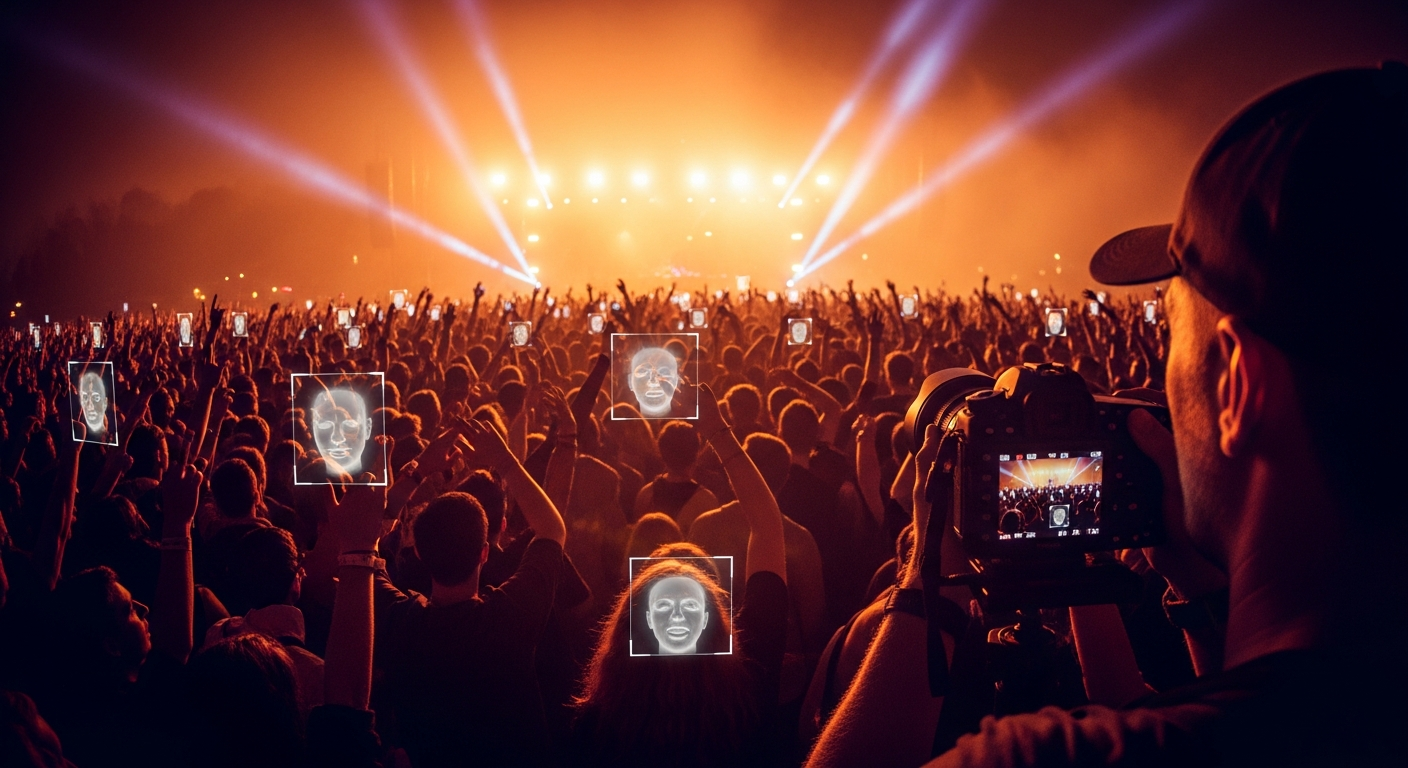
If you have ever stood in a crowd at a music festival, run a half marathon, or danced your way through a wedding reception, you have probably had this exact thought afterwards: there must be photos of me somewhere. The official photographer was twenty feet away, snapping all night. There were drones. There was a guy in a vest with two cameras. So where did all those frames go?
Usually, they go into a giant Google Drive folder. Sometimes a SmugMug gallery with three thousand watermarked previews. Sometimes a public Dropbox link buried in an Instagram story that already expired. And then you, the actual person in some of those photos, are expected to scroll for an hour squinting at strangers wearing similar outfits, hoping you catch a glimpse of yourself.
That is the problem this post is about. We will walk through what usually goes wrong with traditional event photo galleries, why selfie based photo matching is a much better way to find yourself, and what to expect from the actual experience.
Why traditional event galleries are so painful
The mismatch is simple. Photographers think in shoots. They organize by camera, by hour, by lens. Attendees think in self. You only care about the frames you are in. The way galleries are usually delivered ignores that completely.
The wall of thumbnails problem
A weekend music festival can produce somewhere between five thousand and twenty thousand keepers across the official photo team. A single brand activation tent at SXSW once delivered just under nine thousand frames in two days. Even at a generous three seconds per thumbnail, finding yourself by eye in a gallery that big takes hours, and the watermarks on the previews make it harder, not easier. Faces shrink to the size of a thumbnail.
The "tag yourself on Instagram" workaround
Some events post a curated set of fifty highlight photos and tell you to drop your handle in the comments if you spot yourself. That works for fifty photos. It does not work for ten thousand. It also assumes the right shot of you happens to be in the highlight reel, which it usually is not, because the highlight reel is built for the brand, not for you.
The watermark problem
The whole reason watermarks exist on previews is to prevent people from screenshotting the photo and walking away. That is fair. The side effect is that previews are deliberately hard to scan. The watermark sits across the face of every subject. So even if your photo is in there, your eyes get pulled to the watermark, not to you. Searching by eye becomes scanning around obstacles.
"The watermark sits across the face of every subject, so even if your photo is in there, your eyes get pulled to the watermark, not to you."
How selfie based photo matching actually works
The shorter version: you take one selfie, the system reads the geometry of your face, and within seconds it returns every photo in the event where that same geometry shows up. You do not browse. You do not guess. The matches come to you.
Here is what is happening behind the scenes when you point your phone at your face on a tool like InItPic.
Step 1, your selfie becomes a face vector
Your phone sends one selfie to the matching service. A model (in our case AWS Rekognition) detects the face in the frame, locates landmarks like the corners of your eyes, the bridge of your nose, the curve of your jaw, and turns those measurements into a numerical fingerprint. That fingerprint is not a photo. It is a list of numbers that uniquely describes the geometry of your face. Two people who look like cousins will produce different numbers.
Step 2, the system searches an indexed collection
Every photo the photographer uploaded was processed the same way. Each face in each photo was already turned into a fingerprint and stored in a searchable collection. So when your selfie fingerprint shows up, the system asks one question: which existing fingerprints in this collection are within a certain distance of this new one? The answer comes back in milliseconds.
Step 3, results come back ranked by confidence
You usually get back a list with a confidence score on each match. Anything above eighty percent is almost always you. Anything between fifty and eighty is worth a glance because some of those will be you in profile, in a hat, or in lower light. Below fifty, expect false positives.
Step 4, the smart systems also look at outfits
This is where modern matching pulls ahead. If you were wearing a bright orange jacket all day, the system can look for other photos with the same color blob below a face that did not score high enough on facial recognition (you might be looking away from camera, or the light hit you wrong). InItPic does this in two passes. First, find your face. Second, find your outfit. Third, double check by re-running face matching on each outfit candidate so we do not accidentally hand you photos of a stranger wearing a similar jacket.
Walking through it on InItPic
If you want to try this in practice, the flow looks like this.
You open the app or the web version. You tap a button that says find my photos. The phone asks for camera permission, you say yes, you take a single selfie in decent light. While the selfie is uploading, the app asks for your email so we can send your matches even if you close the tab. About two to five seconds later, you see a grid of every photo in our system that contains your face. You can favorite individual photos, buy single shots, buy bundles, or order a print delivered to your door. That is the whole flow.
If you are coming back from a previous event, the app remembers your selfie (you can delete it any time from the profile screen). At your next event, your matches show up automatically without you having to take a new selfie at all.
Tips that make selfie matching work better
Take the selfie in the same kind of light as the event
If the event was outdoors at the Lightning in a Bottle festival, take the selfie outside, ideally in shade. If it was an indoor concert, you do not need a flashlight on your face, but a well lit phone selfie under normal room light beats a dark selfie taken in a closet. The closer the lighting matches the source frames, the higher your scores.
Take the selfie alone
If two faces appear in your selfie, the matcher has to pick one. Put your camera on the front facing lens, hold it about a foot away, and frame just your face. No friends in shot.
Glasses and hats are usually fine
Modern face vectors are robust to most accessories. Sunglasses with mirrored lenses can knock confidence down a bit because they obscure the eye landmarks. If you wore mirrored sunglasses all day at the event and you take your selfie without them, you might miss a few. The fix is to take the selfie wearing the same glasses, or rely on outfit matching to backfill those frames.
If you changed outfits, you might want to take two selfies
Outfit matching makes a real difference for shots where you are turned away. If you wore one outfit during the daytime set and another at the after party, two selfies (or one selfie plus enabling outfit assist on both halves of the event) will give you better recall. The face vector itself does not change. Only the outfit hint does.
What it costs and what you get
Searching is free on InItPic. You only pay for the photos you actually want. Pricing is set by each photographer, and most events have bundle discounts that kick in at five photos and again at ten. A single high resolution download is usually three to five dollars. A pack of ten is often around twenty. Prints, canvas, and apparel are available at checkout, fulfilled through Printify, and shipped directly to you. None of this requires creating an account, although making one (it takes ten seconds) saves your selfie for next time and unlocks favorites.
If you want the full breakdown of what happens to your selfie data, when it gets deleted, and where the privacy line sits, read our companion post on what facial recognition photo matching actually does (and does not do). It is the post we always send people who wrote in worried about the word "facial recognition," because the reality of recognition (matching you to yourself) is very different from surveillance (identifying a stranger).
Ready to find yourself?
Take one selfie, get every photo of you from the event in seconds. No account required to search.
Find my photosFrequently asked questions
Is selfie matching at events safe?
Yes, with one nuance. Your selfie is used to generate a face fingerprint, then the selfie image itself is deleted unless you opt in to save it for future events. The fingerprint is searched against photos from the specific event you came to find, not against the open internet. We never sell selfie data to third parties, and you can delete your face data at any time from your profile. Read our privacy policy for the long version.
What if I changed outfits during the event?
Face matching does not care about outfits. You will still match every photo where your face is visible. Outfit matching is an optional second pass that helps catch frames where your face is turned away. If you changed outfits, you may want to take a second selfie or simply rely on the face matching results, which already cover both halves of the event.
What about group photos where I am in the back?
If your face is at least roughly the size of a thumbnail in the original frame, you should match. Most modern cameras shoot at twenty four megapixels or more, which means even a face that looks tiny on a phone preview is plenty big in the source file. The honest exception is photos taken from very far away (think drone shots of the whole crowd), where individual faces become too small for any system to read reliably.
Why did I get matched to a photo I am clearly not in?
Two reasons usually. Either the score is in the lower confidence band and the system is hedging, or someone in the frame really does have a similar face geometry to yours. The fix is to look at the confidence badge on each match. The high confidence ones are almost always you. The lower ones are worth a quick glance and a thumbs down if they are wrong, which trains the system for next time.
How long does the matching take?
For most events, results come back in two to five seconds. Very large events with hundreds of thousands of indexed faces can take ten to fifteen seconds the first time. After that, your results are cached and reload instantly.